Scary Story Video Generator
AutoTube is a scary story video generator for horror and mystery channels. Give it a premise or paste your story, and it narrates it over dark, matching scenes, with captions that highlight the tense words and optional smoke or glitch overlays. Below is a real haunted-house story broken down beat by beat.
5 free welcome credits. No card required.
Horror is about pacing
A scary story works when each scene raises the stakes a little: a strange place, a strange sound, a figure, failed attempts to stop it. Viewers keep watching to find out how bad it gets.
AutoTube builds one scene per line, so if your script escalates, the visuals escalate with it. Captions highlight key words (green in the example below), and overlays add atmosphere without hiding the image.
Example: a first-person haunted house story
A 64-second vertical horror Short made with AutoTube. Four of its beats:
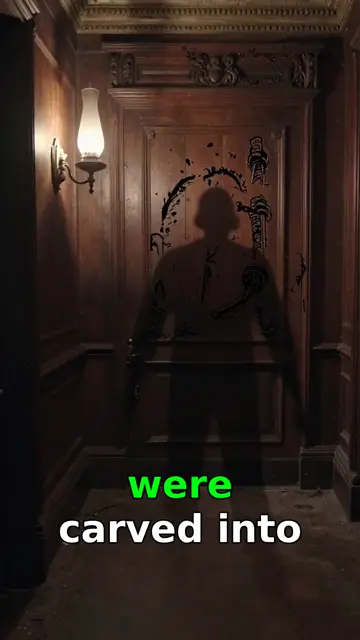
1. Something is wrong
A shadowy figure in a wood-panelled hallway, caption "…were carved into…". The story opens on an unsettling detail before explaining anything.
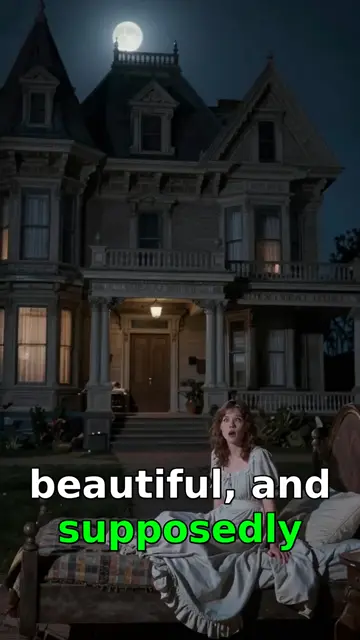
2. The place
The Victorian house at night, with the narrator outside: "beautiful, and supposedly…". The word "supposedly" tells viewers the house is not what it seems.
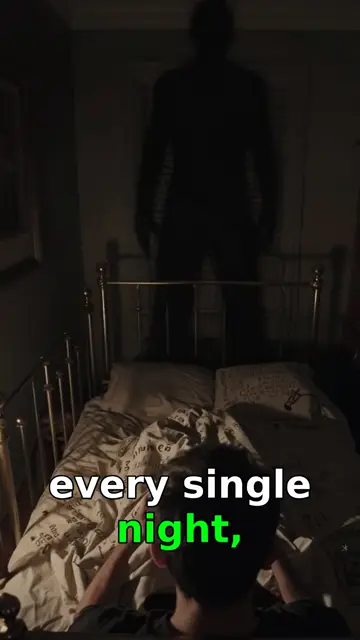
3. Escalation
A figure standing over the bed, "every single night". Repetition is scarier than a one-off event.
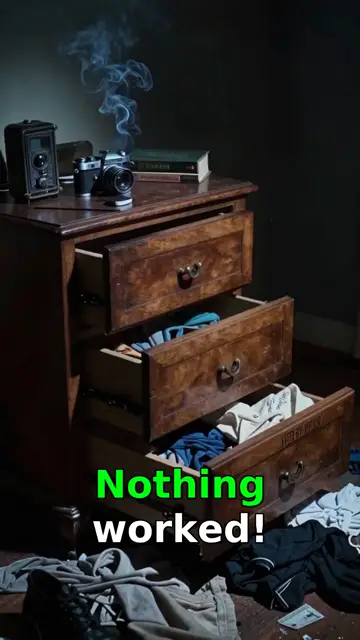
4. Nothing works
Open drawers and a smoking candle, "Nothing worked!". The failed attempts keep viewers watching for the ending.
What to take from it: Notice what the visuals never do: show the ghost clearly. Shadows and silhouettes leave the scariest part to the viewer's imagination. When writing your script, describe what the narrator sees and hears, not what the monster looks like.
Mystery outputs and atmosphere overlays
The lake legend is a mystery Short in a calmer, documentary tone. The two overlays can be added to any scene, previewed before rendering, or switched off.
Writing scary stories for AI video
- Escalate in steps: place, sound, sighting, failed fix, final twist. One step per few lines.
- Describe senses, not monsters. "I heard footsteps stop outside my door" makes a better scene than a description of the creature.
- Write in first person for confession-style stories. It suits the narrated format.
- Label fiction as fiction. Do not present invented events as real, especially about real places or people.
- Avoid graphic violence. YouTube limits ads on gory content, and suspense works better anyway.
Matching atmosphere to the story
| Story type | Visual style | Overlay |
|---|---|---|
| Haunted house, paranormal | Dark Mystery | Heavy Smoke |
| Tech horror, found footage | Dark Mystery or Neon | Glitch |
| Cryptids and legends | Cinematic History | Rain or none |
| Unsolved mysteries | Clean Explainer or News Brief | None |
FAQ
- Can AutoTube make horror story videos?
- Yes. It narrates your story over matching dark scenes, highlights key caption words and can add smoke, glitch or rain overlays.
- Can I use my own scary story?
- Yes. Paste an original script and edit any line in Studio Mode before rendering.
- Are scary story channels allowed on YouTube?
- Yes, when content is original and follows Community Guidelines. Label fiction and avoid graphic violence. See our policy guide.
- Shorts or long-form?
- Both. The example above is a vertical Short. Compilations of several stories work well as long-form.
- How much does it cost?
- Start free with 5 welcome credits (valid 7 days, no card). Paid plans: Lite $9, Starter $29, Pro $59 and Premium $119 a month. Motion and AI Images videos cost 1 credit per minute.
Try AutoTube free
Make your first video with 5 free welcome credits. No credit card required.
Create Your First AI Video