AI Story Video Generator
AutoTube is an AI story video generator for children's stories, fables and animated tales. Give it a premise such as a shy sea turtle learns to be brave and it writes the story, narrates it and illustrates every line in one consistent style, so the same character appears scene after scene. Below is a real output broken down.
5 free welcome credits. No card required.
What makes a story video work
Story videos depend on two things: a character viewers recognise in every scene, and a clear arc from problem to change. Random stock images break both.
AutoTube's Storybook style draws each scene in the same look, so your main character stays recognisable. Motion mode adds kinetic text for names and key moments, and a clean ending card for your call to action.
Example: "Shelly the brave turtle", scene by scene
Made with Motion in Storybook style from a one-line premise.
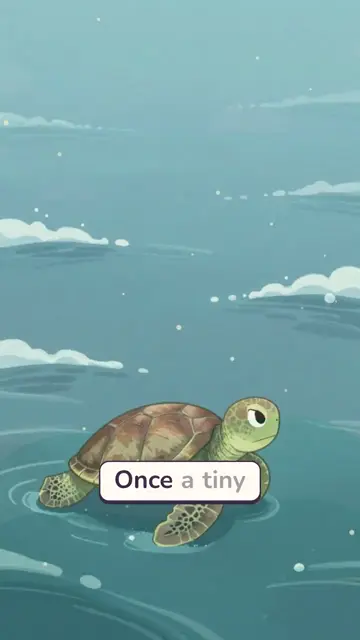
1. Introduce the hero
"Once a tiny…" opens on Shelly alone in a wide sea. Small character, big world: the problem is clear before it is named.
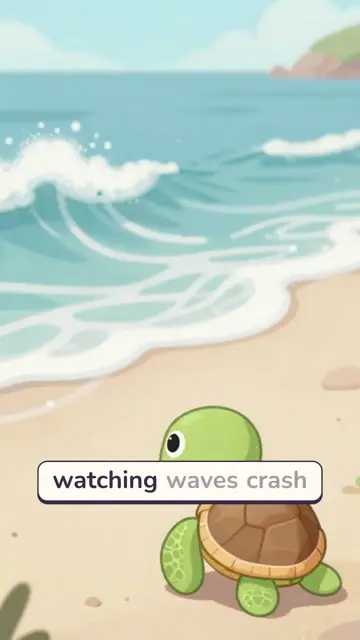
2. Show the fear
"Watching waves crash…" puts Shelly on the shore, looking at the water. The fear is shown, not just told.
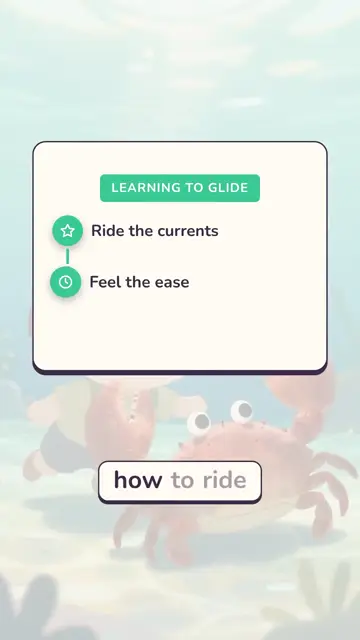
3. Turn the lesson into steps
"How to ride…" becomes a checklist card, "Learning to glide: ride the currents, feel the ease". Young viewers can follow the change step by step.
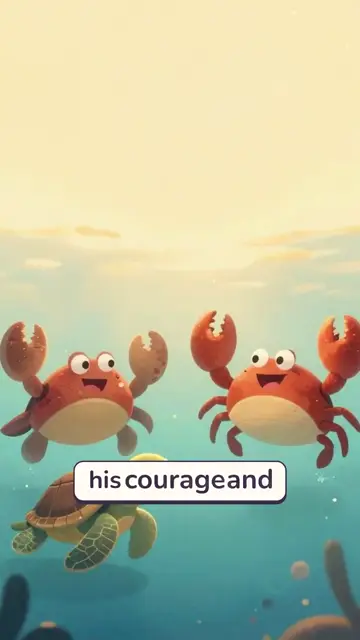
4. Friends and payoff
"His courage and…" shows the crab friends celebrating. The video ends on a card: "Join Shelly on more adventures!" with like, subscribe and comment buttons.
What to take from it: The structure is a classic children's arc in under a minute: hero, fear, guided change, celebration, invitation to the next episode. Naming the series in the final card ("more adventures") turns one video into a recurring show.
Other story styles
The same workflow handles a kids' sci-fi adventure and an anime-style coming-of-age story. Pick a style that matches your audience's age.
Tips for story channels
- Give the hero a name and one clear want or fear in the first line.
- Keep one style for a whole series so the character looks the same across episodes.
- End with an invitation to the next episode, as in the Shelly example.
- For kids' content, mark videos as "made for kids" in YouTube when they are aimed at children. It changes comments and ads, and it is required.
- Use original stories. Retelling copyrighted books or characters can lead to claims.
Picking a style for your story
| Audience / genre | Style to try | Example above |
|---|---|---|
| Young children, fables | Storybook | Shelly the brave turtle |
| Kids' adventure, sci-fi | Storybook or Neon | The young inventor |
| Teens, coming-of-age | Anime-style scenes | The quiet fire |
| Scary stories | Dark Mystery | See the scary story generator |
| Myths and legends | Cinematic History | The Trojan Horse |
FAQ
- Can AI make animated story videos for kids?
- Yes. AutoTube writes or uses your story, narrates it and illustrates each line in a consistent style such as Storybook, with kinetic text and an ending card.
- Will my character look the same in every scene?
- Using one style for the whole video keeps the look consistent. Check each scene in Studio Mode and regenerate any that drift.
- Can I paste my own story?
- Yes. Paste the full text and AutoTube splits it into scenes.
- How long can a story be?
- From 2 minutes on Free up to 30 minutes on Premium for image-based videos.
- How much does it cost?
- Start free with 5 welcome credits (valid 7 days, no card). Paid plans: Lite $9, Starter $29, Pro $59 and Premium $119 a month. Motion and AI Images videos cost 1 credit per minute.
Try AutoTube free
Make your first video with 5 free welcome credits. No credit card required.
Create Your First AI Video