Text to Video AI Generator
AutoTube is a text to video AI generator for YouTube. Paste a topic or a full script and it splits the text into scenes, narrates each line, creates a visual that matches what the line says, and adds captions and music. Below is a real output, broken down scene by scene, so you can see what your text turns into.
5 free welcome credits. No card required.
What happens to your text
Most text-to-video tools search a stock library for keywords in your sentence. AutoTube treats every line of your script as its own scene and creates a picture for what that line describes. That is why the wording you choose has a direct effect on what appears on screen.
You can start from one line, such as 3 facts that sound fake but are true, and let AutoTube write the script, or paste a script you wrote and keep every word.
Example: a 28-second facts Short, scene by scene
This Short was generated from a simple facts topic. Here is how four of its lines became scenes.
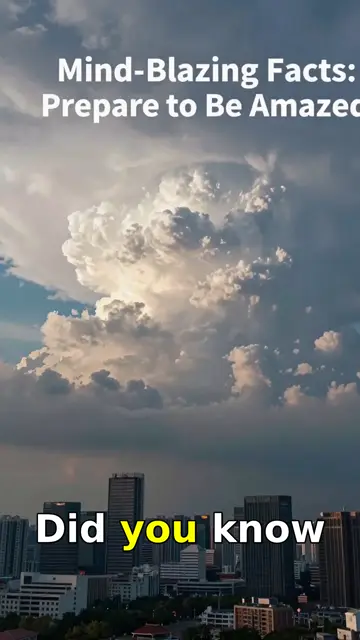
1. Hook
A title card, "Mind-Blazing Facts: Prepare to Be Amazed", over storm clouds, with the caption "Did you know…". The question format makes the viewer wait for the answer.
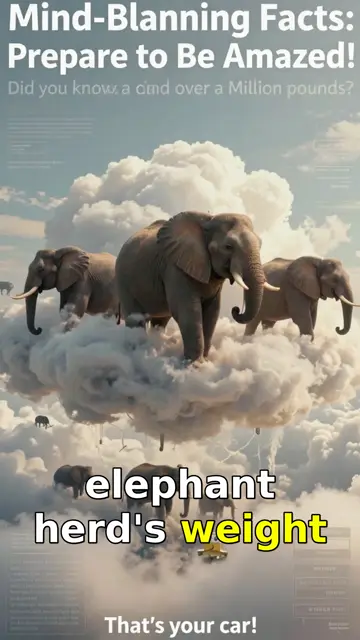
2. Visual metaphor
The line compares a cloud's weight to a herd of elephants, so the scene puts elephants on a cloud. A literal stock photo of a cloud would not make the number stick.
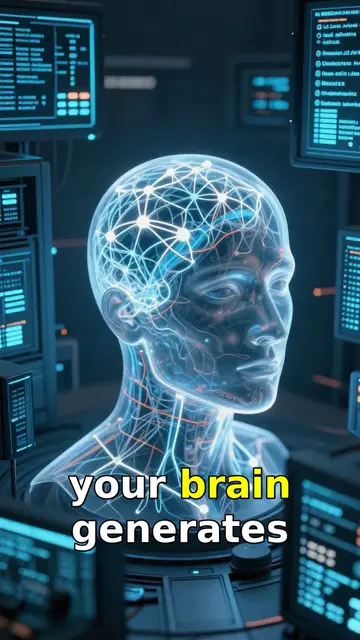
3. Second fact
"Your brain generates…" becomes a glowing digital head. One fact, one image, no clutter.
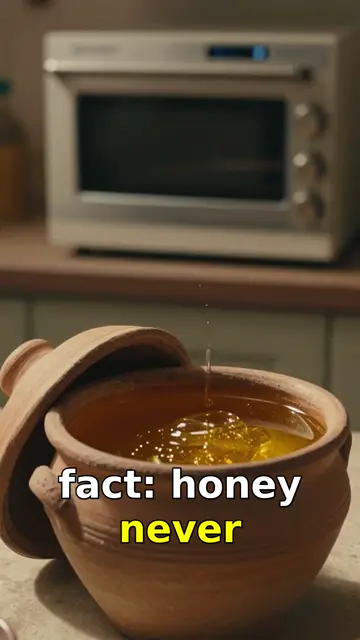
4. Third fact
"Fact: honey never…" shows an old clay pot of honey, which hints at the answer (honey found in ancient tombs) before the narrator says it.
What to take from it: Look closely at the second frame: the title text is mid-animation and reads "Mind-Blanning". AI-generated images can garble on-screen words, so always check title cards and text in Studio Mode before rendering, and regenerate any scene with a spelling error.
Other things people turn into video
The same text-to-video workflow, two very different looks: a neon science Short made with Motion, and a first-person "you are there" history scene. The viewpoint you write in ("you walk into the harbour…") shapes the visuals.
How to write text that becomes a good video
- One idea per line. Each line becomes a scene. Two ideas in one sentence give you one confused picture.
- Use concrete images. "A cloud as heavy as a herd of elephants" produces a memorable scene; "clouds are surprisingly heavy" does not.
- Say numbers out loud. In Motion mode, numbers in the narration such as "8 out of 10" become animated counters and charts.
- Hook with a question or a surprise in the first line, then answer it within a few seconds.
- Check text in images. As the example shows, AI can misspell words drawn inside a picture.
Choosing a mode for your text
| Mode | What your text becomes | Credits / min | Best for |
|---|---|---|---|
| Motion | AI illustration per line, camera moves, animated numbers, sound effects | 1 | Explainers, stories, facts |
| AI Images | A still AI image per line with narration and captions | 1 | Simple narrated videos |
| Blitz (paid) | AI video for the hook and key moments, images for the rest | 2.5 | Hooks that need motion |
| AI Videos (paid) | A generated video clip for every line | 5 | Action-heavy content |
FAQ
- Is AutoTube's text to video free?
- You can start free with 5 welcome credits valid for 7 days, no card required. Motion and AI Images cost 1 credit per minute of video.
- Can I paste my own script?
- Yes. Paste a full script and AutoTube keeps your words, splitting them into scenes. You can edit any line in Studio Mode before rendering.
- How long can the video be?
- Image-based videos run from 2 minutes on Free up to 30 minutes on Premium (5 min on Lite, 10 on Starter, 15 on Pro).
- Does it make vertical videos?
- Yes. Choose Shorts for vertical 9:16 or long-form for horizontal 16:9.
- Which languages can the text be in?
- English, Spanish, Portuguese, Hindi, Japanese, Korean and Chinese.
Try AutoTube free
Make your first video with 5 free welcome credits. No credit card required.
Create Your First AI Video